
Vision 2 Estimating 3D Model Viewer
A Unity 3D model viewer for Vision 2 Estimating that lets estimators inspect SketchUp building models by layer and cost code on the web, iOS and Android.
← All projects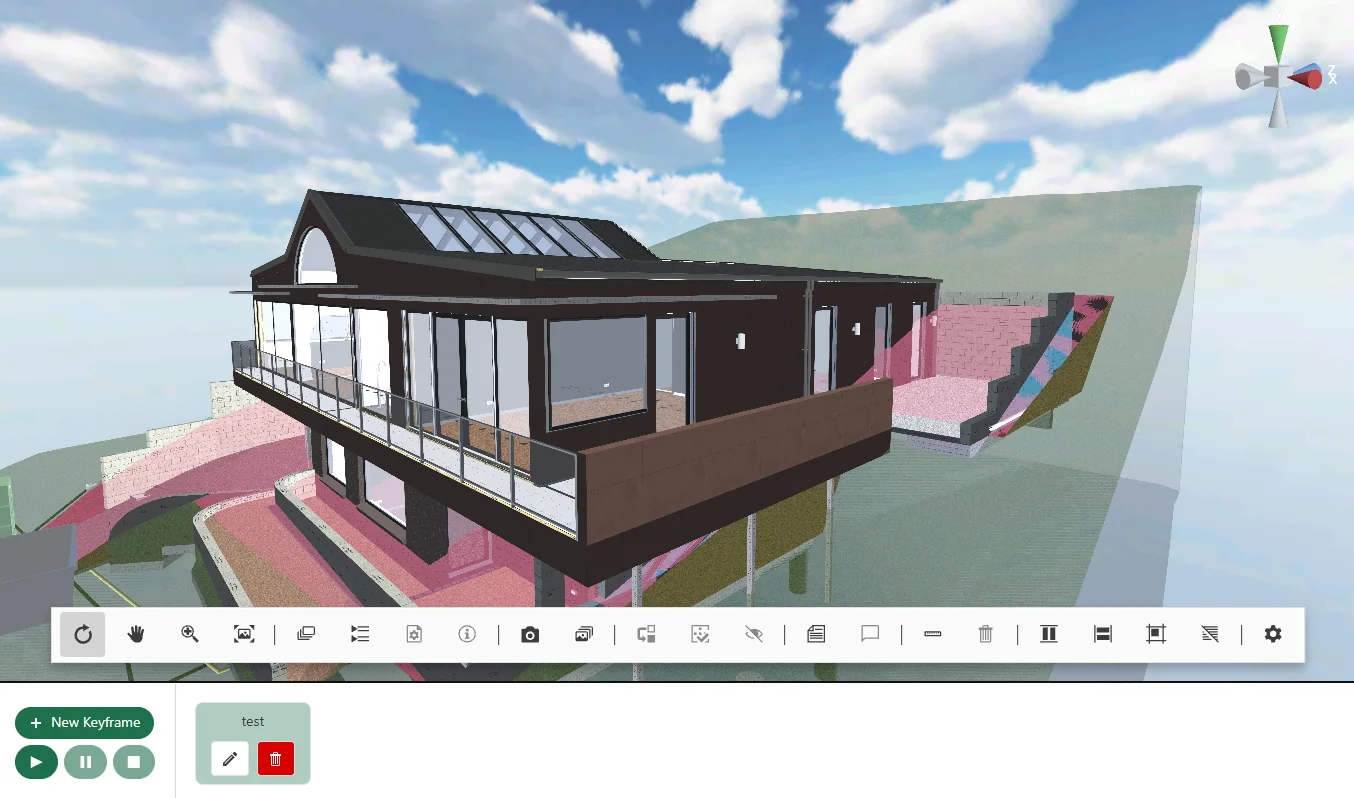
- Client
- Vision 2 Estimating
- Subcontracted by
- Transformr
- Duration
- May 2025 - Oct 2026
- Platforms
- WebGL, iOS, Android
Construction Model Review
Vision 2 Estimating needed a way for estimators and site teams to inspect building models across web and mobile. Working as a subcontractor to Transformr, XGameDev developed the Unity viewer and SketchUp export pipeline, along with the initial full-stack prototype.
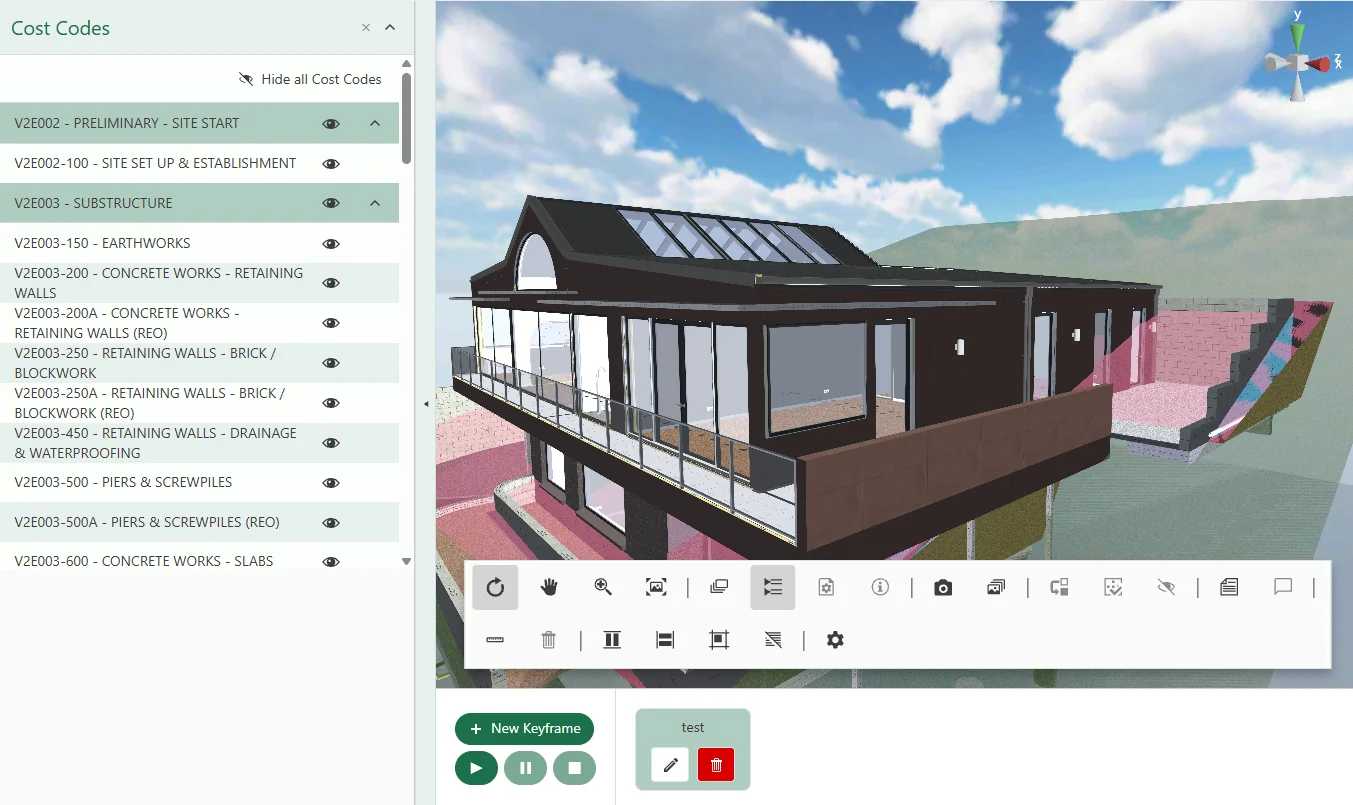
The viewer connects building geometry to its layer, entity and cost-code data. An estimator can isolate a trade, inspect the relevant building elements and measure a distance without losing the relationship to the source model. This is the kind of model-driven software covered by our AEC development services.
SketchUp Geometry and Metadata Export
XGameDev built a Ruby plugin for SketchUp to extract mesh geometry, cost codes, layers and other property data from SKP files. It exports glTF and GLB models with accompanying metadata for layers, entities, folders, parent relationships and materials, including per-face data.
Keeping those relationships intact lets the Unity viewer connect a selected part of the building to the source model's structure and estimating data. The export work included resolving differences between SketchUp's layer and entity organisation and the structure needed by the viewer. XGameDev packaged and released the exporter as a versioned SketchUp extension.
For teams planning parametric modelling automation, this export work illustrates how model geometry and property data can move together into a downstream review tool.
The metadata also drives material behaviour inside Unity. Exported colour and alpha values inform how objects appear, while outline and glass shaders support selection and transparent surfaces. Geometry and its associated data have to stay together for these interactive 3D visualisation tools to work correctly.
Model Navigation and Inspection
The Unity application loads exported models using glTFast, with a custom downloader for model retrieval. Its camera rig supports orbit, pan, zoom, roll and framing the model within the viewport. Saved views retain camera position, rotation and field of view so users can return to the same viewpoint.
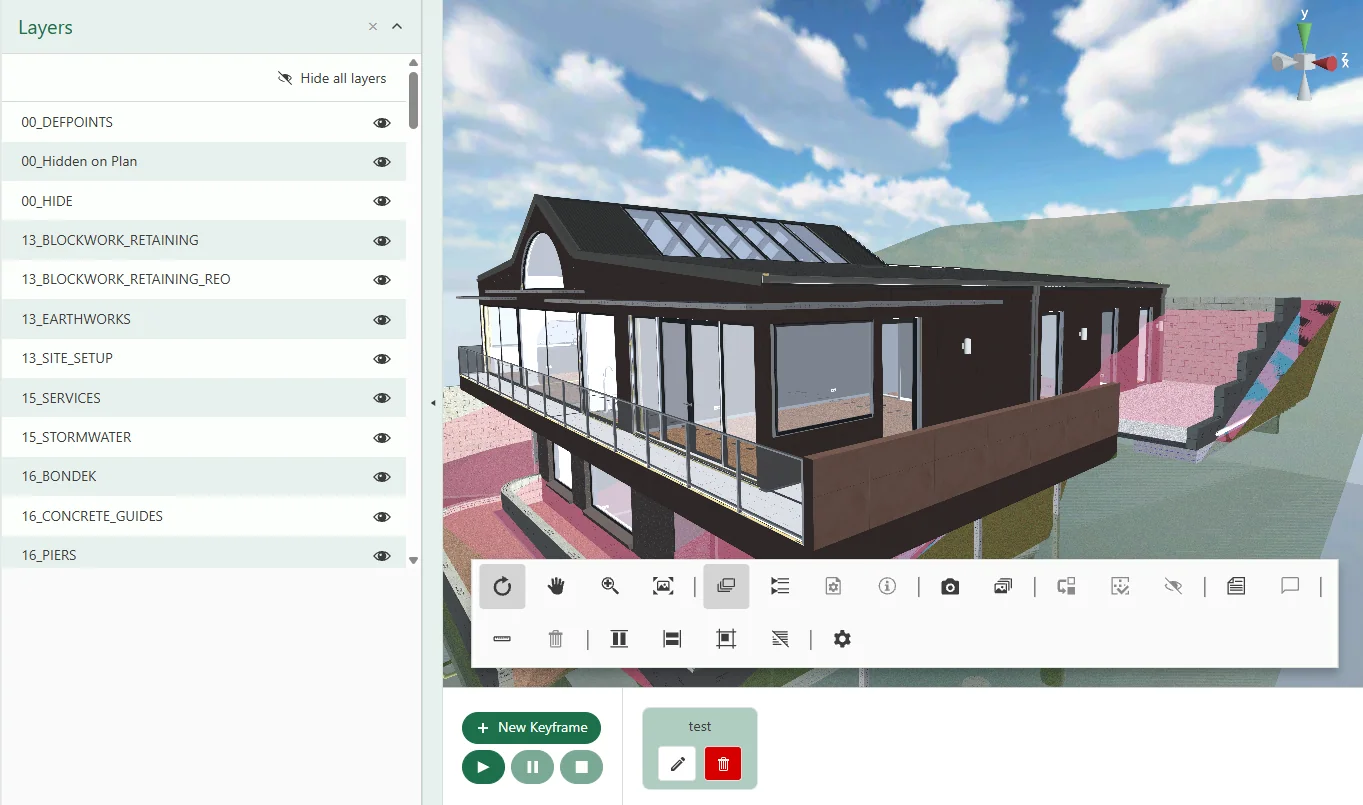
First-person navigation lets users walk through the building, with collider generation on selected layers. For direct inspection, raycasting and per-entity mesh colliders support selection and multi-selection. Users can hide or isolate elements by layer or cost code.
Layer visibility needed iteration against real model data. The early implementation enabled and disabled GameObjects; XGameDev later changed the show/hide approach to use material swapping to address issues with that behaviour. Preserving selection while changing visibility was part of the Unity development work.
Cross-sections, measurements and comments
A custom cross-section shader lets users slice through the model using on-screen drag handles and X, Y or Z axis presets. The ruler uses click-to-place points and a live measurement display. Its interaction handling distinguishes dragging the view from selecting a measurement point, and keeps the display scaled correctly as the camera zooms.
Comments use point-of-interest markers attached to building entities. XGameDev worked through visibility handling for both existing and newly created markers so annotations could follow the model review process.
Camera animations and screenshots
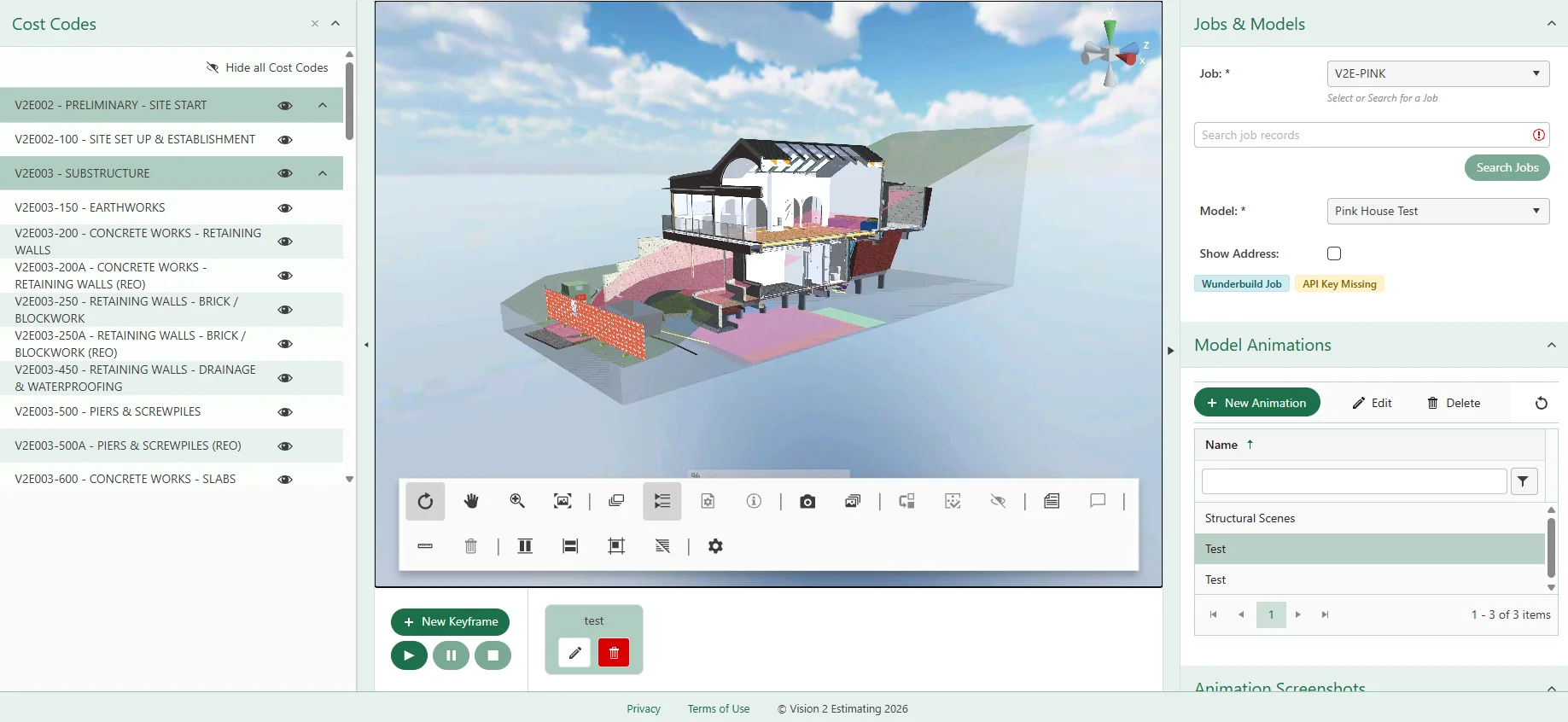
Users can record camera keyframes into named animation clips, edit them on a timeline and play them back through the camera rig. The workflow includes creating, editing and deleting saved animations for review or client presentations. A screenshot module captures the viewer and supports saving images to Azure Blob Storage.
Connecting Unity WebGL to Angular
XGameDev created the Unity WebGL communication bridge between the viewer and the Angular web application. Its event and command protocol covers selection, layer visibility, camera control, cross-sections, measurements and comments.
Keyboard focus was another integration detail: typing into an Angular input needed to coexist with Unity's keyboard listener. The bridge handles focus coordination between the web interface and the embedded viewer.
Another team developed the production Angular web application and the Angular side of this bridge. XGameDev's initial Angular prototype was a separate stage of the work.
Prototype Backend and Azure Integration
For the initial full-stack prototype, XGameDev built a Node.js backend, MongoDB database and Angular web application. The prototype API supported notes, comments, animation keyframes, drawing codes and saved camera viewport state.
The final production build ran on the client's Azure server. Within Unity, XGameDev replaced local or bundled model loading with access to the client's API and Azure Blob Storage. The application follows a customer, job and model hierarchy: retrieve a customer's jobs, then load the models associated with a selected job.
Mobile authentication used Azure AD through Microsoft Identity and MSAL. That work included production redirect URI configuration, token validation debugging and refresh-token handling, followed by fixes to the iOS authentication flow.
Performance Work for Large Building Models
Large construction models put pressure on both loading and interaction. XGameDev pooled materials to avoid creating a separate material instance for every renderer, capped static batching and tuned the WebGL heap alongside Brotli compression. Shadow settings and anti-aliasing also needed adjustment to balance rendering cost and visual quality.
Model and metadata parsing moved from dynamic objects to typed structs. On mobile, later work replaced LINQ operations with ZLinq and added dynamic quality scaling.
Per-mesh colliders remained in place throughout these changes because click-to-select was a product requirement. The performance work therefore had to reduce costs around that interaction. Our Unity WebGL performance guide discusses the wider loading, memory and rendering constraints involved in browser delivery.
Android and iOS Build Pipelines
Android delivery included APK builds distributed through Firebase App Distribution for internal testing and AAB builds for production. XGameDev added development and production configuration switching and handled signing requirements as part of the release workflow.
On iOS, a post-build Xcode step changed bundle IDs and settings between development and production. The work covered TestFlight distribution, App Store submission changes and platform-specific authentication and visual fixes. Automating these differences reduced the manual configuration required for repeated releases, a concern also covered by our build and release engineering services.
During the project, XGameDev upgraded the application to Unity 6000.3.6f1 and resolved input-system and package issues introduced by the migration. This ongoing platform work is part of mobile app maintenance as well as initial delivery.
Delivery Across Web and Mobile
XGameDev worked on the project from May 2025 to October 2026. The resulting viewer runs in a browser through Unity WebGL and as native Android and iOS builds from the same Unity project. Its SketchUp export pipeline carries model geometry and estimating metadata into each platform, supporting model review in the office and on mobile devices.
Download V2E Model Viewer


Planning a similar inspection tool? See our 3D model viewer development service for scope, import pipelines and integration requirements.
Client Review
Jacques & the Team at XGameDev have been great in helping us with our app design and build. Can't stress enough how good they were at accommodating our requests. Would highly recommend
Need a technical 3D viewer?
We can help with model import, Unity interaction tools, WebGL builds, mobile releases, and the backend work around them.